

CATALOG
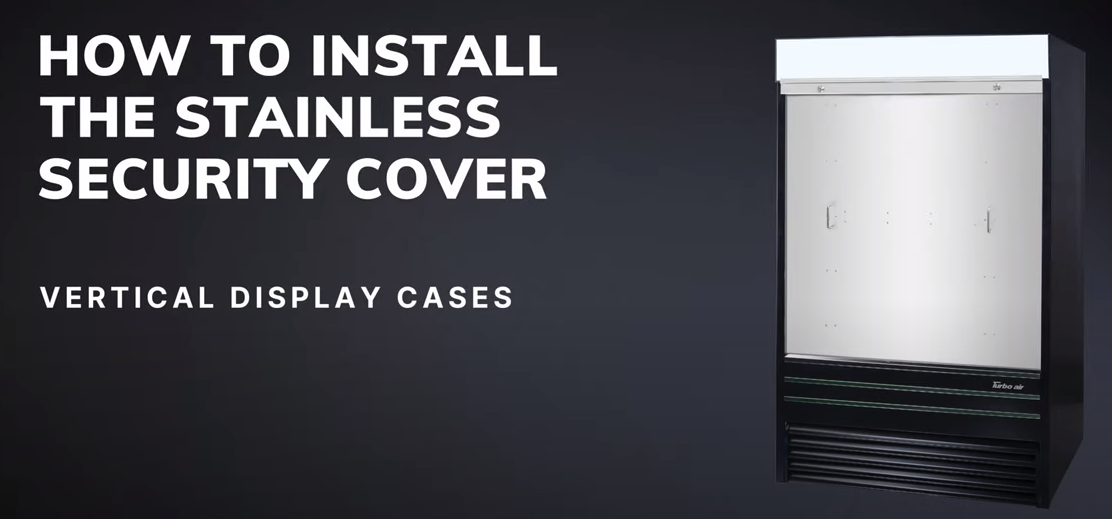
When a store closes for the night, an open-front merchandiser is still running at full effort, pushing cold air into an empty room and leaving your product exposed. A security cover fixes this by closing off the front of the case. If you want something sturdier than fabric, a hard security cover is a strong choice.
This guide is based on the topic of the video "How To Install The Hard Security Cover" from Turbo Air. We explain what a hard security cover is, who it suits, how to prepare, how the installation generally works, the mistakes to avoid and how to keep the cover in good shape.
Important: This article gives general guidance. Always follow the instruction sheet supplied with your exact cover and merchandiser model. If anything is unclear, contact Turbo Air or a qualified technician.
A hard security cover is a rigid, solid panel that closes the opening of a refrigerated open merchandiser when the store is closed. Turbo Air lists hard plastic locking security covers for its TOM-series merchandisers, offered in finishes such as black and white to match the unit, and described as field-installed so they can be fitted on site after the case is in place.
Because the cover is rigid, it holds its shape, stands up to bumps and gives a clean, finished appearance. Like all Turbo Air covers, it is sized to a specific model and width, so matching it to your merchandiser is essential.
A solid barrier across the opening reduces cold air loss when the case is not in use. That means the refrigeration system works less to hold temperature overnight.
A hard cover resists accidental impact, such as a cart nudging the case or a mop bucket bumping the front. It protects both the product and the unit's front edge.
With a locking mechanism, the cover discourages tampering and helps keep your inventory secure while the store is closed.
A rigid panel stays flat and tidy. There is no sagging or wrinkling, which many managers prefer for upscale or high-visibility shops.
The smooth surface of a hard plastic cover is simple to clean, which is handy in busy food service environments.
Turbo Air offers several security cover styles, and each one has strengths.
| Cover type | Best for | Key advantage |
|---|---|---|
| Hard plastic | Stores wanting a rigid, tidy panel at a moderate cost | Holds its shape and resists bumps |
| Fabric | Stores wanting a lightweight, easy-to-handle cover | Flexible and simple to use |
| Stainless steel | High-traffic or higher-risk locations | Maximum durability and security |
You can also read our guides on how to install the fabric security cover and how to install the stainless security cover to compare the installation process for each.
Check your merchandiser's nameplate and compare it with the cover's listed model. Width, finish and mounting design must all match. A cover designed for one TOM model will not fit another.
If your merchandiser is new, begin with our guide on how to unbox a Turbo Air open merchandiser. Then unpack the cover slowly. Rigid panels can crack or scratch if dropped or stacked carelessly.
Look closely at edges, corners, locks and mounting points. Report any cracks or missing hardware to your supplier before you begin.
Typical tools include:
Hard covers can be bulky. Having a second person hold the panel while you secure it makes the job safer and neater.
Remove products from the front of the case and move displays out of the way. Lay a blanket or cardboard on the floor to protect the panel while you work.
Exact steps depend on your model. Use the process below as a general guide and always defer to your manufacturer's instructions.
Put the cover panel, brackets, hardware and lock parts on a clean surface. Compare them to the parts list so you know nothing is missing.
Measure and mark where the brackets or guides will attach to the merchandiser. Use a level so the finished cover will sit straight. It is better to measure twice than to drill extra holes.
Fasten the mounting components to the unit as directed. Tighten snugly but do not overdo it, because overtightening can crack plastic or strip threads.
With a helper, lift the cover and align it with the brackets. Seat it carefully so it rests properly and does not rub the unit's finish.
Fix the panel using the supplied hardware. Check that it is level, that gaps are even and that the panel does not flex awkwardly.
Fit the locking mechanism and test it several times. The latch should engage smoothly and hold the cover firmly shut. Store spare keys somewhere safe.
Open, close, remove or reinstall the cover as your design allows. It should move without scraping, jamming or catching on shelves or trim.
Step back and view the cover from the front and from each side. Make sure it seals the opening well, there are no loose screws and no tools are left on the unit. Wipe off fingerprints with a clean cloth.
Wipe the panel with a soft cloth and mild soap and water. Avoid harsh solvents, which can cloud or weaken plastic.
Check for hairline cracks, loose brackets, rust on hardware and a sticking lock. Catching issues early prevents bigger replacements.
A cover works best on a unit that is properly set up. Review how to adjust the shelf height, how to set the defrost temperature and how to replace the LED lights.
If a panel cracks or a lock fails, replace it rather than running with damage. Browse our Turbo Air parts collection or read our guide on stocking OEM parts.
A hard cover is a rigid panel that holds its shape and resists bumps. A fabric cover is flexible and lightweight. Both close off the open front of a merchandiser after hours.
Many are designed to be field-installed with basic tools. If you are not comfortable working at height or handling large panels, ask a qualified technician or get a helper.
No. Covers are made for specific models and sizes. Always compare the cover's model number to your unit's nameplate before buying or installing.
Closing the front of an open case when the store is closed reduces cold air escaping, which can ease the load on the refrigeration system.
No. Remove it when the store opens so the air curtain can function and customers can access product.
Use a soft cloth with mild soap and water, then dry it. Avoid abrasive pads and strong chemicals.
Stop using the cover as a security measure and have the lock repaired or replaced. A Turbo Air parts supplier or qualified technician can help.
A hard security cover brings sturdy protection, better overnight efficiency and a tidy look to your open merchandiser. Match it to your model, prepare your tools and helper, measure carefully, install the brackets and panel in order, test the lock and keep up simple cleaning and inspections. With a careful install, it will protect your product and your equipment for years.
Want to see the process in action? Watch the original video from Turbo Air on YouTube: https://www.youtube.com/watch?v=TCs6nEFQfqU